

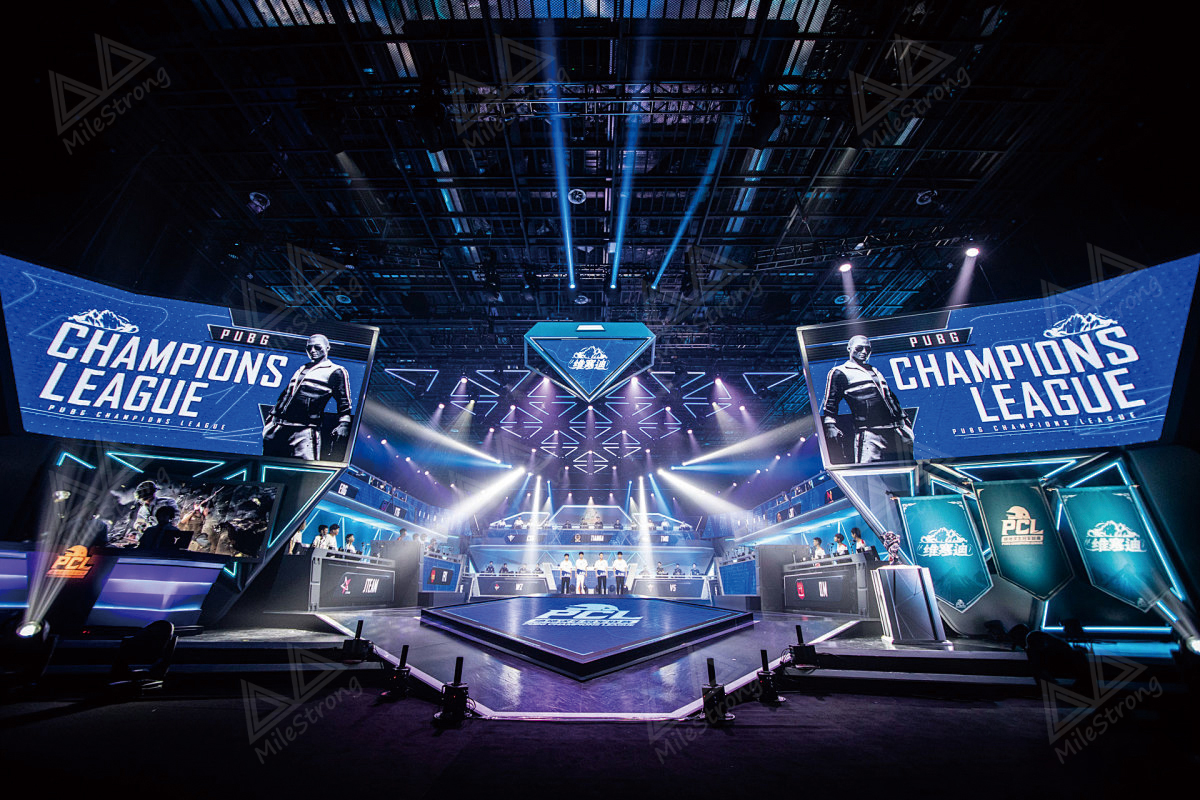
Consistency is one of the hardest things to keep across multiple locations and repeat events. The room changes, the lighting changes, the staffing changes—and the schedule always changes at the worst possible time.
An LED wall can help, but only if you treat it like a repeatable communication tool (not just a “big screen”). Here’s what we see work in real life—and the three mistakes that usually cause headaches.
Step 1: A Weekend When the Plan Changed Mid-Service
It was one of those weekends where everything looks fine… until it isn’t. Attendance jumped, so the church added an extra Saturday night service. Same room, same team—just a tighter timeline and more moving parts.
Then the day-of changes started rolling in:
- The worship set ran long
- A guest speaker asked for different on-screen notes
- The “next event” slide changed twice (time and location)
- Volunteers needed to redirect people to overflow seating
Normally, that’s when things get messy. Someone’s digging through slides on a laptop, the projector looks washed out under stage lights, and people in the back stop catching the cues. It’s not a disaster—but the room starts feeling less organized.
This time, the LED wall made the chaos… manageable.
Because it stayed bright and readable, the team could push updates fast:
- swap the run-of-show slide without rebuilding the deck
- keep overflow directions up while the service was still running
- update announcements in seconds instead of “after service”
- keep the same look and layout, even when the schedule changed
It wasn’t there to impress anyone—it just kept the room from going sideways when plans changed. Once you’ve had a day like that, you stop thinking of it as a “screen” and start thinking of it as a tool.
And that’s also why some teams start with led display rentals for weekends, pop-ups, or temporary programs before committing to a permanent build. When timelines are tight, a led display screen rental can give you a clean, readable setup without locking you into a long-term configuration.
Whether you’re planning a permanent install or testing the workflow with led display rentals, the same real-world rules still apply.
Step 2–4: 3 Common Mistakes (and the Fixes That Actually Work)
Mistake #1: Buying for specs instead of viewing distance and room behavior
What happens: Teams chase the highest resolution or the biggest wall, then realize the content still isn’t readable from the back—or the system is overbuilt for the space.
What to do instead: Start with a readability plan.
- Define typical viewing distance (front row vs. back row, walkway distance, counter distance)
- Build content that can be understood in 3–5 seconds (simple layout, big text, clear hierarchy)
- Choose size and configuration based on the room—not a spec sheet
Practical reality: In churches, franchises, pop-ups, and public programs, clarity beats complexity every time.
Mistake #2: Treating the wall like an ad loop instead of a guidance tool
What happens: The wall looks nice—but customers still ask the same questions: “Where do I go?” “What’s next?” “How do I order?” “Where’s pickup?” “What’s included?”
What to do instead: Use a simple 3-layer content mix.
- Operational clarity (most important): directions, steps, schedules, menus
- Brand identity: consistent visuals and tone
- Promos/sponsors: short and limited (don’t crowd the screen)
Where this works best:
- Franchises / quick-service: menu clarity + flow cues
- Automotive quick-service: service tiers + wait expectations
- Public programs: agenda + next-segment prompts
- Pop-ups: “what this is / how it works / what to do next” in one glance
Mistake #3: Building a one-off install that doesn’t scale and is hard to service
What happens: The first install works, but the next location is different. Or a small issue becomes a big problem because service access wasn’t planned.
What to do instead: Treat deployment like a rollout, not a renovation.
- Standardize mounting and cable routing where possible
- Decide service access early (front vs. rear)
- Keep a basic spare-module plan if uptime matters
- Document a simple “reset + troubleshooting” checklist
How MileStrong helps (practical, not overpromised):
At MileStrong, we provide remote installation support to help teams follow a consistent install process (mounting checks, wiring verification, initial setup, and basic troubleshooting guidance). We also offer a 1-year warranty for covered issues, with final terms confirmed per project and environment.
Practical Ways Teams Use LED Walls (That Actually Help)
If you want the wall to earn its place, start with content that reduces friction:
- menus, schedules, and rotating updates
- directions and wayfinding
- simple product/service explainers (silent-friendly)
- sponsor slides for public programs
- pop-up guidance (“scan → order → pickup” flow)
Rule of thumb: if a message can’t be understood quickly, it’s too complex for a busy space.
Quick FAQ
1) Can LED walls work for churches and community spaces—not just retail?
Yes—especially where lighting is challenging, viewing distance is longer, or content changes frequently. Planning around readability is usually more important than chasing specs.
2) Are LED walls realistic for pop-ups or short-term events?
They can be, when clarity and fast updates matter. Temporary setups benefit most from simple content and a practical install plan.
3) What should we decide before choosing a setup?
Viewing distance, lighting conditions, and the primary purpose (guidance vs. storytelling vs. promos). Those three inputs usually determine the right configuration.
Final Takeaway
LED walls aren’t just about looking modern. They’re about staying readable, consistent, and in control when the plan changes—across franchises, churches, public programs, and pop-ups.
If you’re weighing led display screen rental options versus a permanent rollout, MileStrong can help you map viewing distance, content flow, and service access before you commit.